GB Label Maker
A downloadable tool for Windows and macOS
Design authentic Game Boy cartridge labels!
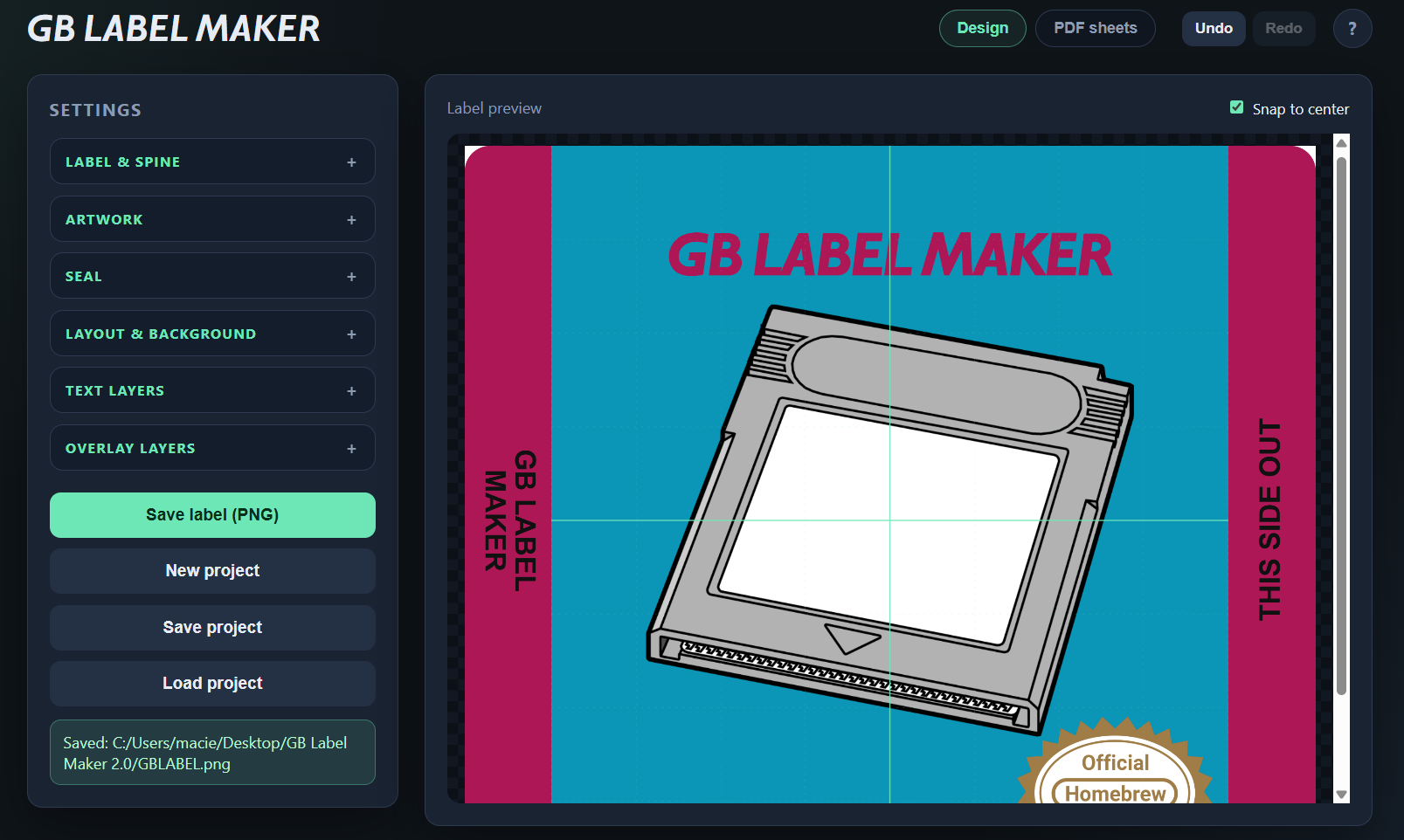
GB Label Maker is a free desktop app for GB homebrew devs, collectors, and anyone who wants a clean cartridge label without wrestling with a full image editor. Pick a US, EU/PAL or Custom preset, drop in your artwork, tune everything in a live preview, and export a print-ready PNG — or lay out a whole batch on PDF sheets.
Fast, free, and built for real GB labels. Wow!
Features
- Authentic GB label template — Based on the community Nintendo Gameboy Cartridge Label Template.psd by Dinierto
- US / EU-PAL / Custom presets — Style presets lock the right fields; Custom unlocks everything
- Drag & drop artwork — Drop an image or click to browse; position with the mouse
- Live preview — See every change instantly
- Left & right spine text — Serial/title on the left; optional “THIS SIDE OUT” on the right (up to 2 rows each)
- Spine orientation — Toggle whether each spine faces outward, like official labels
- Serial position — Middle (US) or upper (EUR), depending on preset
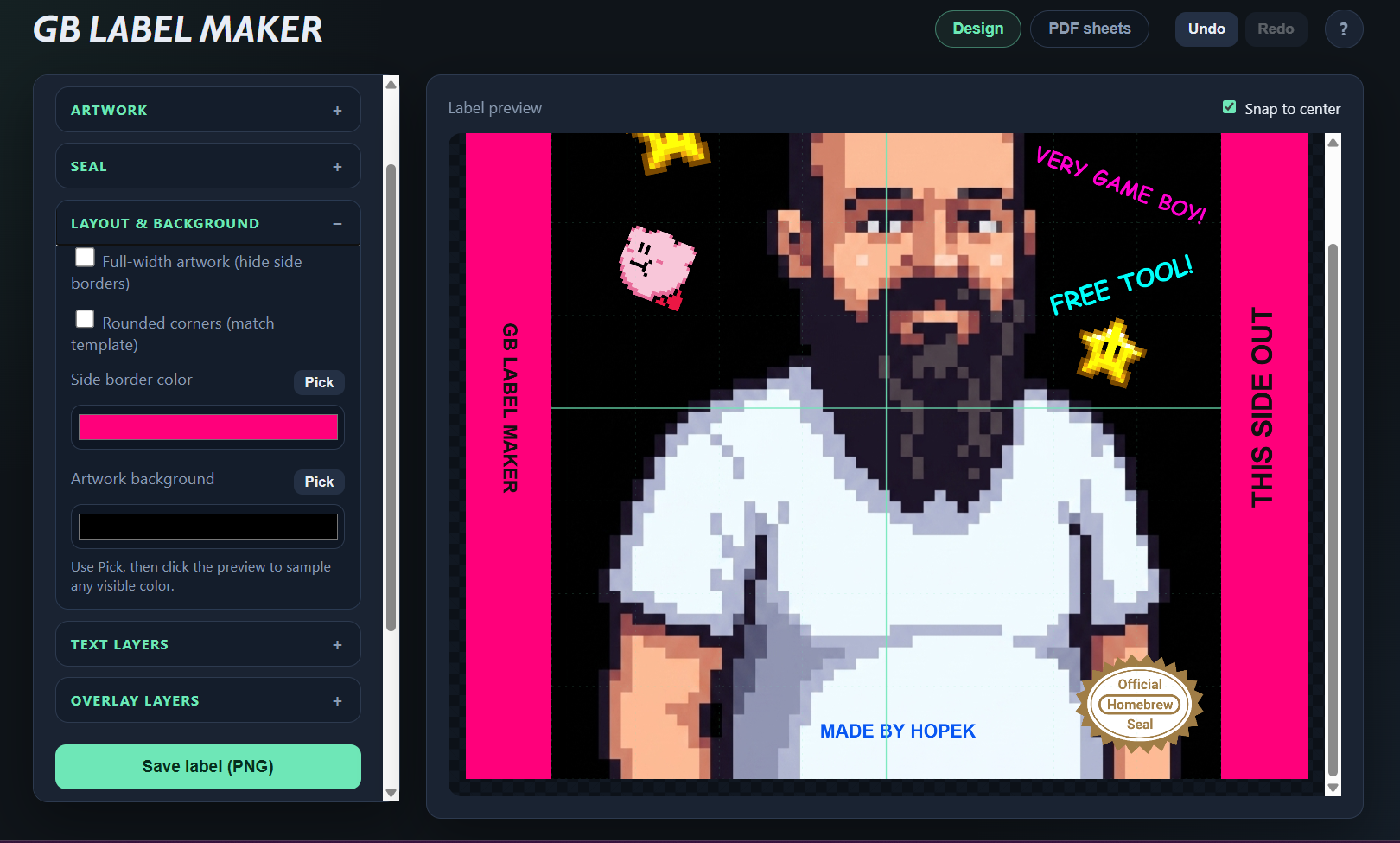
- Full-width artwork mode — Hide side borders for edge-to-edge cover art
- Rounded corners — Optional rounded artwork corners
- Side border & background colors — Custom border tone and solid fill behind transparent artwork
- Color pipette — Sample any visible color from the preview
- Text layers — Multiple layers with system fonts, size, color, bold/italic/underline, position, and rotation
- PNG overlay layers — Logos, badges, stickers — scale, rotate, reorder
- Seals — Six high-res options: Nintendo US1, US2, EUR, Homebrew, GB Studio — plus a small easter egg if you look closely. Size and position controls; drag on the preview; always on top, clipped to the artwork area
- Made in text — Separate fields for left-spine and bottom artwork legend (leave empty to hide)
- Undo / Redo — Ctrl+Z / Ctrl+Y while you design
- Duplicate & copy/paste — Duplicate layers or use Ctrl+C / Ctrl+V
- Snap to center — Alignment guides when positioning layers
- Project files — Save and load full layouts as .gblabel
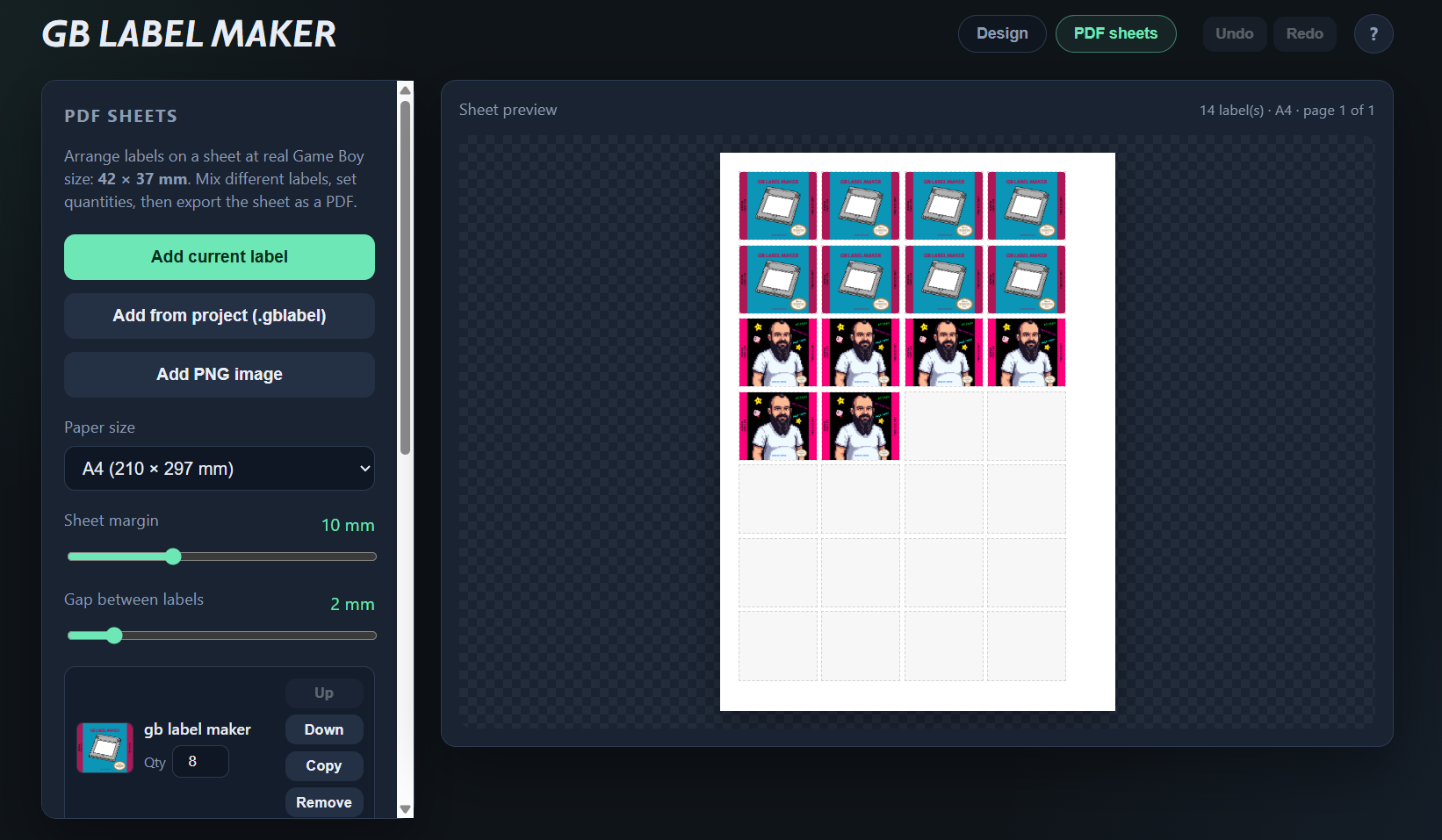
- PDF sheets — Queue multiple labels (with quantities), preview the sheet, export a full-color PDF at 300 DPI, save/load sheet lists as .gbprint. Print from your PDF viewer at 100% / Actual size
- Windows & macOS — Standalone builds; no install, template and assets bundled in the app
Download
Click download now to get access to the following files:
Development log
- UPDATE #5 - 2.02 bug fixes, performance, cleaner file dialogs46 days ago
- UPDATE #4 - PDF sheets fixes & multi-select47 days ago
- UPDATE #3 - GB Label Maker is now on macOS!48 days ago
- UPDATE #2 - GB Label Maker 2.0!48 days ago
- UPDATE #149 days ago
Leave a comment
Log in with itch.io to leave a comment.